Disk Encryption and Data Protection Software

Exlade Cryptic Disk 3


Frequently Asked Questions

What is the length of the encryption keys used by the program?

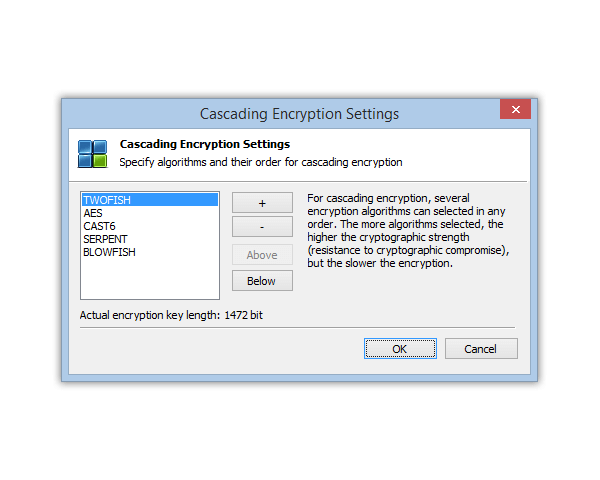
Cryptic Disk 3 supports several encryption algorithms, most of them using 256-bit keys (except for "Blowfish" that uses 448-bit keys). Since the program encrypts data in the XTS mode that uses another key of the same length, the actual length of the encryption key is doubled. Besides, the program supports cascade encryption that applies several algorithms one by one, so the final length of the key is the sum of key lengths of all the algorithms involved. For instance, if all five algorithms are used at the same time, the actual length of the encryption key will be 2944 bits (with the XTS mode on).

Should I use encrypted containers or encrypted physical disks for best data protection?

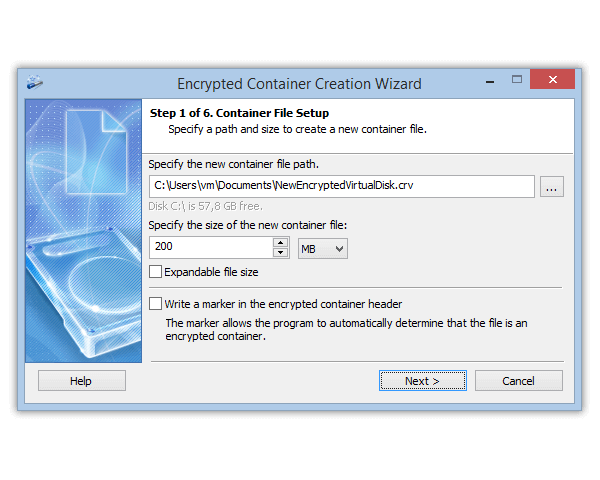
Encrypted physical disks have a number of advantages over encrypted containers. First of all, since an encrypted container is a regular file, it can be inadvertently deleted along with all the information stored in it. Secondly, the reading speed for encrypted physical drives is somewhat higher than that for encrypted containers.

Can I encrypt the partition my operating system is installed on?

At the moment, the program does not support encryption of system partitions. We strongly advise you not to use the primary system partition for storing confidential information. If you have a single hard drive with an operating system installed on it, we recommend creating a separate partition for the data you want to encrypt. In this case, the stability and integrity of the operating system will have no effect on the integrity of the encrypted data.

What devices can Cryptic Disk work with?

The program can encrypt data on any storage devices supported by Windows: regular and removable hard drives, USB flash drives and many others. It also works with hardware RAID arrays and dynamic volumes (software RAID arrays).

Will I be able to access my encrypted data if I lose my key file or forget the password?

No. If you forget your password or lose your key file, you will not be able to access the encrypted data. Please be careful with your access details to avoid losing access to your information.

Can I share some of my encrypted data with other users in the network?

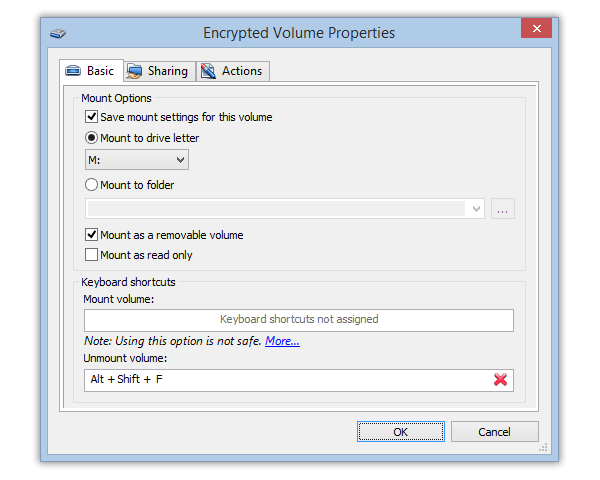
Yes, you can. When mounting an encrypted drive, select a folder on it and enable sharing by configuring the necessary access rights using standard Windows means. If you want folder sharing to be granted each time the disk is mounted, just edit the permanent settings of the disk.

How secure are my files stored on the disks encrypted with Cryptic Disk?

The program uses advanced disk encryption technologies to protect your data: symmetric cryptographic algorithms with 256-bit keys, the XTS encryption mode developed specifically for encrypting storage drives in compliance with specification PKCS #5 v2. This completely rules out the possibility of unauthorized access to your information without a correct password entered by the user or a key file. If you keep your access credentials in a secure location, nobody will ever be able to gain access to the files stored on disks encrypted with Cryptic Disk.

Why do I need key files?

Despite all recommendations, users often use short or easy to pick passwords for their encrypted data. And it’s not surprising – it’s obviously easier to memorize a short sequence of characters. The program features advanced protection (compliant with the PKCS #5 v2 specification) against brute force or dictionary-based attacks, which makes picking a password using these methods virtually impossible – the speed of random password-generation is very low and the process requires a lot of CPU time. However, if the intruders have a lot of time, patience and proper equipment, their attempts may eventually succeed.
In order to completely rule out the possibility of picking a password to an encrypted drive, we recommend both passwords and key files that can be regular images, sound and video files or documents. The use of key files, however, has a downside – whenever you need access to an encrypted disk, you must specify the path to the key files. Also, if one of the key files is lost or corrupted, you will also lose access to your encrypted disk.

Will I be still getting free program updates after I buy a license?

When you buy a license, you will get a 1-year free upgrades and technical support subscription. When this period is over, you will be able to extend the upgrades subscription. To do it, go to the product purchase page on our site and follow the instructions. Once the subscription is extended, you will receive a new license key and will need to enter it in the “License key” window. The old key will be deactivated.

Will the program work after the free updates subscription expires?

Yes, the installed version of the program will remain functional even after the free upgrades subscription expires. However, if you install a new version of the program release after the license expiry date, it will only work in the trial mode. To continue working without limitations, you will need to renew your upgrades subscription or roll back to the version of the program release before the license expiry date.

How do I find out the date my free upgrades subscription expires on?

To do that, open the “About” window (menu: “Help – About Exlade Cryptic Disk”). The “License information” block will contain all of the information stored in the license key, including the dat of subscription expiry.

How can I configure the program to start another application each time an encrypted disk is mounted?

The program (Professional Edition and Ultimate Edition) allows you to start/exit external applications when an encrypted disk is mounted or unmounted. To do that, open the “Encrypted disk properties” window (“Properties” in the popup menu) and configure the corresponding settings on the “Actions” tab. You can also configure Cryptic Disk 3 to launch scripts written in CMD Shell, Windows Scripts, PowerShell or play sound files. All these preconfigured actions are stored in the headers or encrypted disks and are as secure as the rest of the encrypted data.

Can I use Cryptic Disk for encrypting data on portable drives?

Absolutely. You can encrypt data on any drives supported by Windows, including portable drives (Flash memory cards, USB drives, etc). Besides, you can store encrypted containers on portable drives. If you need to work with an encrypted portable disk on any computer without installing Cryptic Disk, you can use its portable version. If you use encryption of a physical partition on a portable drive, you will need a separate unencrypted partition on it to install the portable version of the program. Therefore, this portable drive will have two areas – an encrypted one containing your encrypted data and a regular one used for storing program files and any other information.


Russian