Disk Encryption and Data Protection Software

Virtual encrypted disks

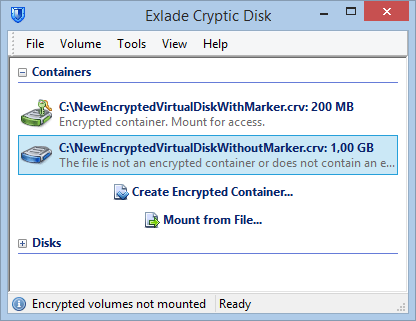
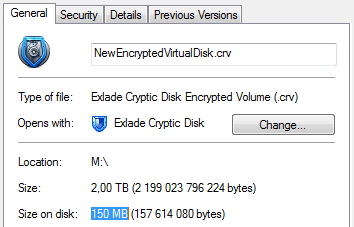
The Cryptic Disk program allows one to create virtual encrypted disks based on container files that are mounted to the system as regular disks. All the information stored on such a virtual disk is located in one ordinary file. By default, the file does not contain any signatures (marks) that would prove that this is a virtual encrypted disk created with Cryptic Disk.

To get access to the encrypted information, the user needs to mount the container file as a virtual disk by specifying the correct password and/or key files. Upon system loading, no encrypted virtual disks are automatically mounted, and, therefore, access to the protected information is reliably blocked from the unwelcome eyes.

Virtual encrypted disks can be mounted as regular disks to any letter unoccupied by other disks in the system or to any empty folder on a regular disk. After the successful mount, you may work with the information on the virtual encrypted disk the same way as you would with data on a normal disk. A virtual disk is no different from an ordinary one for a user and for any programs installed.

One can work with files on a virtual encrypted disk the same way as on an ordinary disk. For example, one can use drag-and-drop or Copy/Paste. When a user works with a mounted virtual disk, data are encrypted automatically and absolutely user-transparently (“on-the-fly”).

The files are automatically decrypted (in RAM memory) when read or copied from the encrypted virtual disk. Similarly, the files are automatically (“on-the-fly”) encrypted when written or copied to the encrypted virtual disk (right before they are actually written to the disk).

However, this does not mean that the file must be entirely stored in the memory in order to be encrypted or decrypted. Data are encrypted and decrypted in “portions” (at the low level of a disk – sector by sector).

Cryptic Disk never keeps unencrypted information on a disk – it is stored in the RAM for a very short period of time only when being used. Thus, the information physically contained on a mounted virtual encrypted disk always stays encrypted.

Upon the system restart or shutdown, all the encrypted disks are automatically unmounted, and the files stored on them become unavailable. In case of an incorrect system shutdown or its emergency restart (for example, upon power or system failure), the protected files also become unavailable. In order to regain access to all the information located on the virtual encrypted disk, one must mount the container file once again by specifying the correct password (and/or key files).


Russian