The program settings are available from the program menu “Options -> Preferences...”. General

"Run automatically on Windows startup".
When this option is selected, the program will be started every time you launch the system. The program start will be invisible. Upon successful start-up the program icon will appear in the Status Area.
"Show splash screen on startup".
When the program is launched, a splash screen will be displayed that will disappear right after the disk search is complete. During automatic launch of the program, the splash screen will not be displayed.
System Hotkeys
New Disks Properties
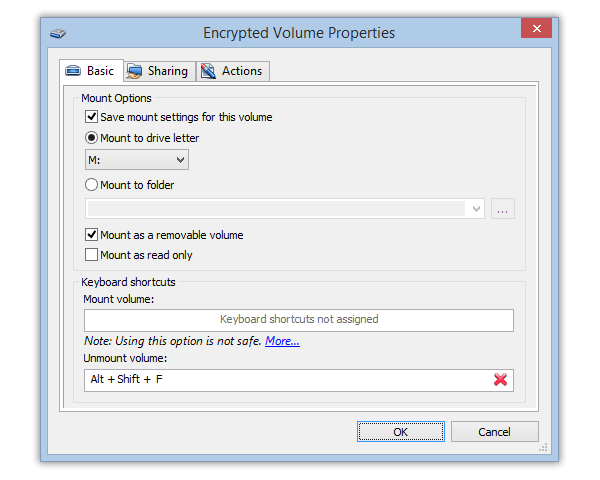
"Mount disks as removable". The encrypted disks will be mounted to the system as “removable”.
"Open the Explorer window for mounted disks".
Right after the encrypted disk/partition has been successfully mounted, an Explorer window will open displaying its contents.
"Cache passwords and keys".
When the encrypted disk/partition has been mounted, the encryption password and key will be stored in random access memory until this disk/partition is unmounted. This feature is very convenient, as there is no need to enter the password every time you need to access the user database and the encryption key.
Auto-unmount
"Unmount all when: Users logs off".
All mounted encrypted disks can be automatically unmounted when the user logs off.
"Unmount all when: Screen Saver is launched".
All mounted encrypted disks can be automatically unmounted when the screensaver is started.
"Unmount all when: Entering power saving mode".
All mounted disks will be automatically unmounted when the system is switched to the power saving mode.
"Unmount encrypted disks if idle...".
If the system has not done anything with the mounted encrypted disk for the time specified in the lower input field , it will be automatically unmounted.
"Do not auto-unmount if there are open files on the disk".
If the program detects that there are open files or directories on the disk while unmounting it automatically , the disk will not be unmounted automatically.
Screensaver settings
The program can configure the system screensaver.
Besides, one more additional setting is added to the standard settings: "Enable password protection only when
protected disks are mounted on the computer".
When this option is selected and you exit the active screensaver, you will have to enter the password only if
there are any mounted encrypted disks.
Plug-ins
Starting from version 2.4, the program supports plug-ins that can extend or modify the standard features of the
program in some way. Any independent developers can develop such plug-ins. Modules developed by the EXLADE, Inc.
company are available on the official site of the product Cryptic Disk.
|