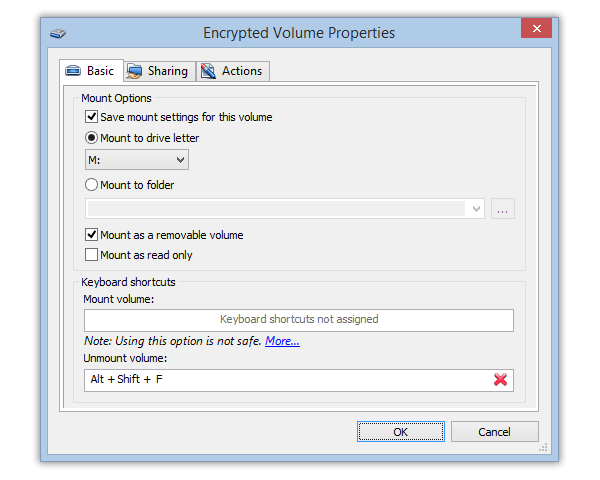
Possibility to save network-shared resources list of the encrypted drive added.
•
Windows Vista support improved.
•
Settings of the automount encrypted drives window display added.
•
Settings of approval to unmount the encrypted drive query display added.
•
Several improvements in the user interface.
Cryptic Disk 2.4 (November 6, 2006)
•
Plug-in are now supported. The SDK is distributed as open source together with the software distribution package.
•
Now it is possible to configure the screensaver and protect it with a password.
•
Now it is possible to specify the properties of the encrypted disk right after its creation.
•
The option for minimizing the window of the program into the system tray has been added to the Options dialog box.
•
Selecting the language in the Options dialog box.
•
The "Save username" checkbox has been added to the Automounting dialog box.
•
Restoring the focus of applications after mounting and unmounting disks automatically.
•
The message about an error registering hotkeys in the system has been added.
•
The user rights validation for operations with encrypted disks has been fixed.
•
Processing a double click on a disk/partition has been fixed.
•
The launch protection feature has been fixed.
•
Processing the Enter, Esc and Tab keys in the dialog boxes of the program has been fixed.
•
Working with the list of encrypted disks in the system tray menu has been fixed.
•
A lot of other fixes and improvements.
Cryptic Disk 2.3 (August 12, 2006)
•
Cryptic Disk now runs on Windows XP x64 Edition (64-bit) and
Windows Server 2003 x64.
•
Detected bugs have been fixed.
Cryptic Disk 2.2 (July 1, 2006)
•
Command line supports has been added.
•
The program can be run without prior installation.
•
Detected bugs have been fixed.
Cryptic Disk 2.1 (January 26, 2006)
•
Hot System Keys setup has been added for major program functions.
•
Automatic disconnection of encrypted disks setup has been added.
•
The dialog for managing program settings has been enhanced.
•
The ability for individual setup of each encrypted disk has been developed.
•
The ability for multiple selection in the user list of the encrypted disk/partition has been added.
•
Processing a mouse double-click in the list of program disks/partitions has been added.
•
The program interface has been elaborated.
•
And a number of other improvements and corrections...
Cryptic Disk 2.0 (December 6, 2005)
•
User storage database has been re-engineered. The database access speed has been increased. Encrypted disks created with Cryptic Disk 1.0 are not supported.
•
Users without system adiministrator rights now have the ability to mount/unmount encrypted disks.
•
A program icon in the status area has been added.
•
The ability to save the encryption key to file and restore it has been added. Now when the password is lost, it is possible to restore it.
•
A pop-up menu for the list of disks/partitions has been added.
•
The ability to create a partition on the disk when the encrypted disk is removed has been added.
•
The ability to format disks/partitions from the program has been added.
•
A program settings window has been added. A user can set default encrypted disks connection options.
•
The ability to launch the program automatically when a user enters the system has been added.
•
The ability to cache the password for the mounted disk has been added. As a result, it is not necessary to enter the password for the mounted disk when trying to manage users or keys.
•
The ability to manually update the list of disks/partitions from the menu or by clicking F5 has been added.
•
When installing the program, the installation type can be selected ("For current user only” or “For all users").
•
The encrypted disk is automatically unmounted when the removable disks are disconnected from the computer.
•
The encrypted disk is automatically unmounted upon completion of work or upon exit from the system.
•
The rows display in the toolbar has been corrected.
•
And a number of other improvements and corrections...