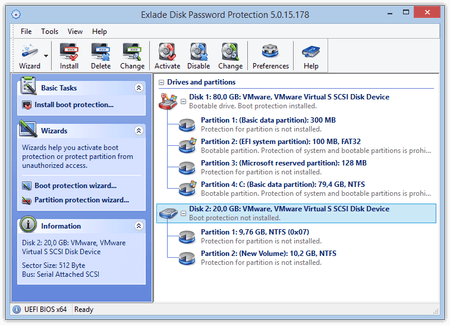
Low-Level Protection
Unlike the two other types of protection, low-level protection works on the level of hard disk controllers. This type of protection is developed by hard disk manufacturers on the hardware level and the program controls it. Hard disks of the ATA-3 standard and higher support this type of protection and it can be enabled only from the genuine MS DOS mode. The program supports enabling and disabling protection.
To enable/disable protection, you may need to turn the power off completely (that depends on the hardware). Laptops do not support the software control of low-level protection. If a laptop supports this type of protection, you can only enable it from BIOS. For more information, see laptop documentation.
The way a system with a disk protected on the low level will depends on the motherboard because it either supports low-level protection (i.e. it can detect if the disk is protected or not) or does not support it. In the first case, the system will ask for the password to the protected disk during its start and, if the password is correct, you will be able to use the disk, which will be automatically blocked after you turn the power off. In the second case, the system will not recognize the protected disk during its start and therefore will not ask you for the password. So you will have to disable this type of protection using the program to be able to use the protected disk. You can find out if your motherboard supports low-level protection by consulting the motherboard manufacturer or from the documentation.
To enable low-level protection, you should:
• Boot the computer in the genuine MS DOS mode.
• Run dppdos.exe from the distribution package.
• Select a hard disk.
• Select "Enable Protection".
• Enter the password.
To disable low-level protection, you should:
• Boot the computer in the genuine MS DOS mode.
• Run dppdos.exe from the distribution package.
• Select a hard disk.
• Select "Disable Protection".
• Enter the password.
Limitations:
• The maximum password length is 32 characters.
• You can use only Latin letters and numbers in the password.
• You cannot specify a password hint for low-level protection.
Attention! You will not be able to use your protected disk if you lose the password. The disk will be blocked for all operations. You should keep the password in a safe place.
|