Cryptic Disk 5.0 keeps keyfiles on hardware security tokens and smart cards, supports TrueCrypt keyfiles, adds a keyfile generator and adapts the interface for people with disabilities.
- Security tokens and smart cards: keyfiles stored on a PIN-protected device, safe from loss, theft and unauthorized copying.
- Keyfile manager for tokens and smart cards.
- Keyfile generator: random 64 KB keyfiles.
- TrueCrypt keyfiles: tokens and keyfiles work with TrueCrypt containers too.
- Accessibility: the interface is adapted for people with disabilities.
Hardware security tokens and smart cards
Cryptic Disk 5.0 saves and uses keyfiles on hardware security tokens and smart cards. The device is protected by a PIN code.
When mounting, choose the menu item "Add Token Keyfile...".
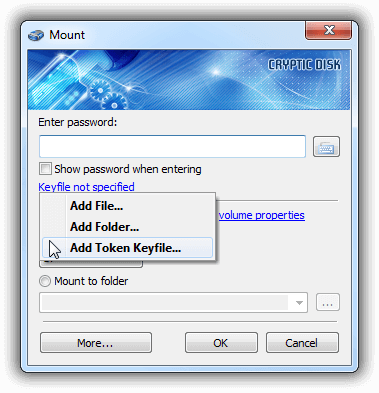
Cryptic Disk asks for the device PIN code and lets you choose the keyfiles to use for mounting.
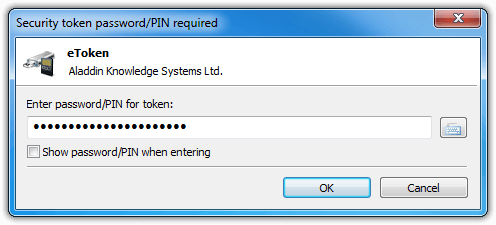
After a correct PIN, Cryptic Disk won't ask for it again: the token session is cached. To change this, use the setting "Mount Options - Close token session (log out) after a volume is successfully mounted", or close all sessions with "Tools - Close All Security Token Sessions".
Managing security token keyfiles
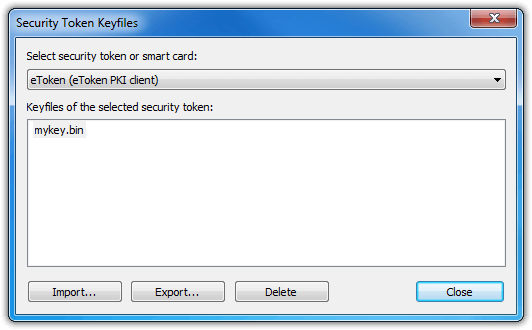
The keyfile manager controls the keyfiles on a security token or smart card. Open it with “Tools - Manage Security Token Keyfiles…”.
Security tokens, smart cards and ordinary keyfiles work the same way with TrueCrypt containers. Cryptic Disk detects the TrueCrypt format automatically, nothing extra to do.
Keyfiles generator
Open it with “Tools - Keyfile Generator” and move the mouse chaotically to give the keyfile enough randomness.
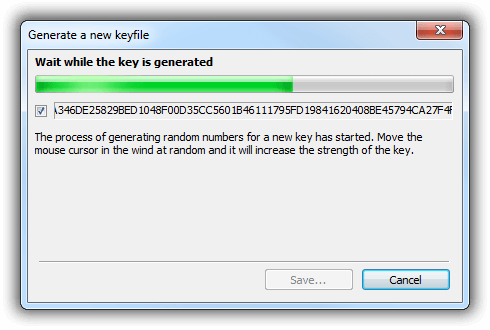
Generated keyfiles are much more secure than passwords or ordinary files.
Full list of changes: what’s new in Cryptic Disk 5.0.
No limitations during the trial. Windows 11, 10, 8.1, 8, 7, Vista and XP.
Free Trial Pricing & Buy