On Windows, the disk's files are saved when it is ejected, every 10 minutes by default (or 5 or 30, or off) if something has changed, and before Windows shuts down or goes to sleep. When the disk is created, they are restored.
On a Mac, you choose the schedule: every 5, 10 or 30 minutes. On battery power, files are saved less often, and right away when the charge drops to 10%.
If the computer suddenly shuts down, you lose no more than what changed since the last save.
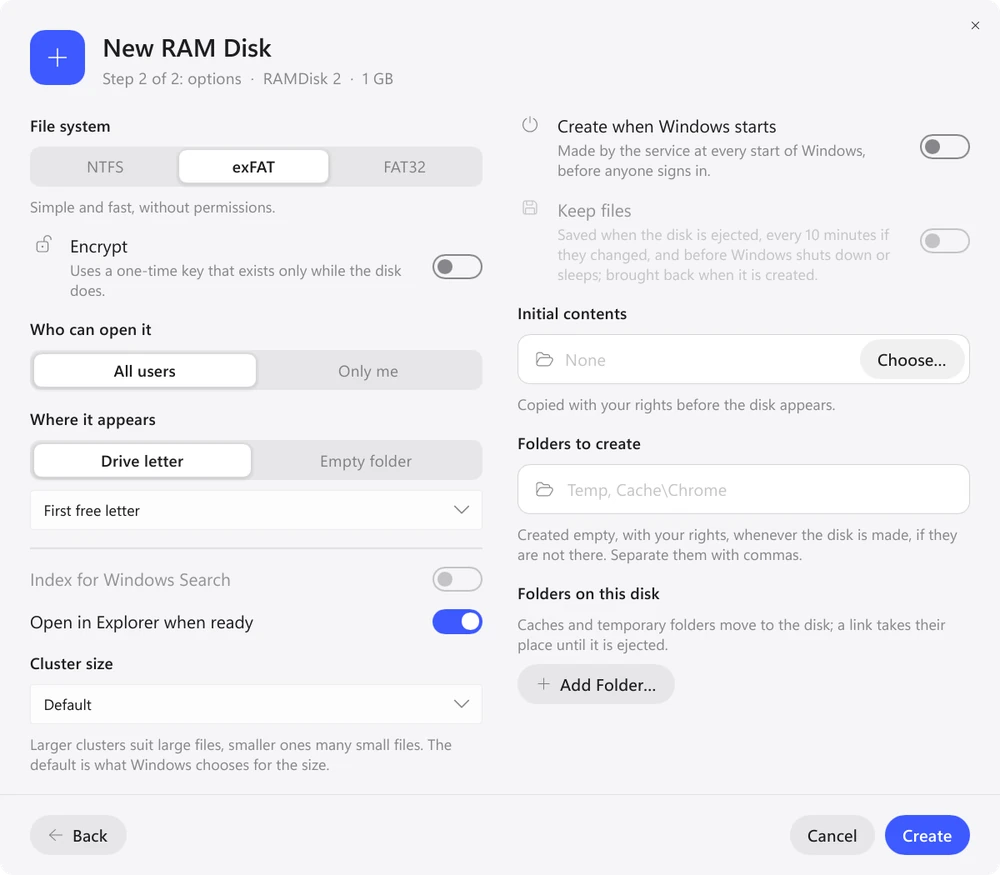
There is usually no need to keep Xcode's DerivedData or the browser cache: after a restart they fill up again quickly, and the disk is created empty. npm, pip, Cargo and Gradle package caches are better kept, otherwise packages are downloaded after every restart. That is why the “Developer” template on Windows keeps its files, while “Xcode” and “Browsers” don't.
The copies are stored on the system disk. If the RAM disk itself is encrypted, the copies are encrypted too: on Windows with a key protected by the system, on a Mac with a key from the keychain.
