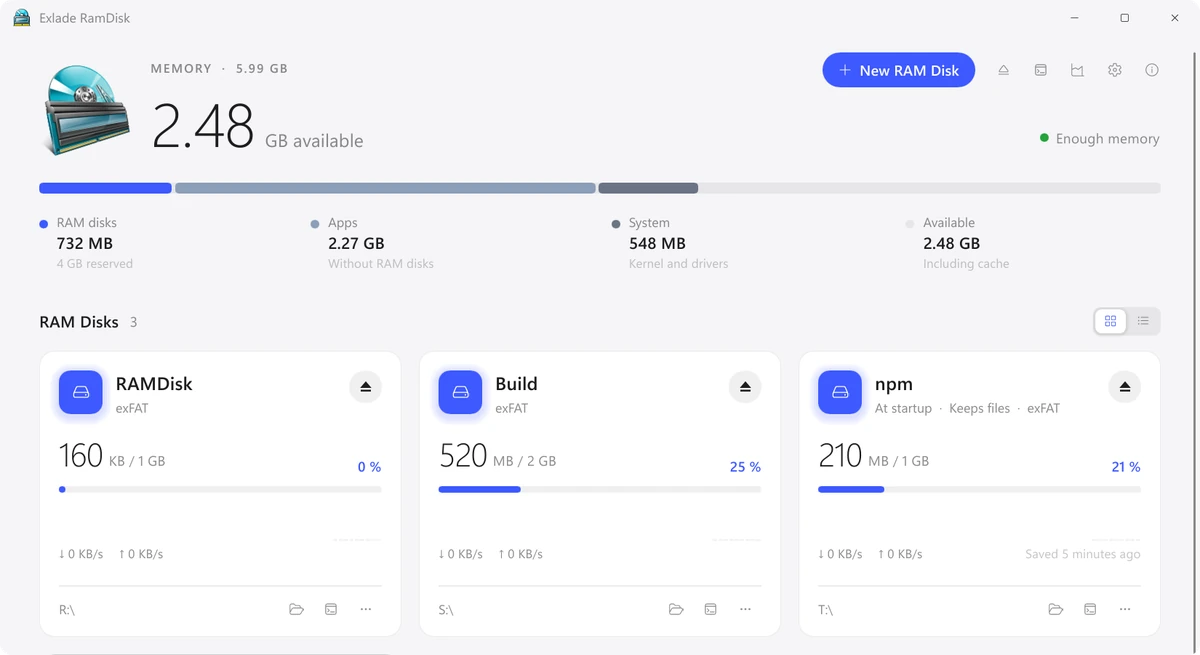
We have released Exlade RamDisk, free software that creates disks in memory on Windows 11 and 10, macOS and Linux. Builds, caches and temporary files on such a disk are read and written at memory speed and don’t wear out your SSD, and the files you need are kept across restarts.
What to keep on a RAM disk
A RAM disk works like a regular disk, except that it keeps its files in memory. When it is ejected or the computer shuts down, its files are gone, unless it is a startup disk that keeps its files. So a RAM disk is the place for things that change often and that you don’t mind losing.
- The TEMP folder
- The browser cache
- npm, pip, Cargo and Gradle caches
- Your project's build folder and Xcode's DerivedData
- Documents and photos
- Anything you have only one copy of
What the app can do
Getting started
Get the app on the download page. On Windows, the installer adds a driver and a service and asks for administrator rights once.
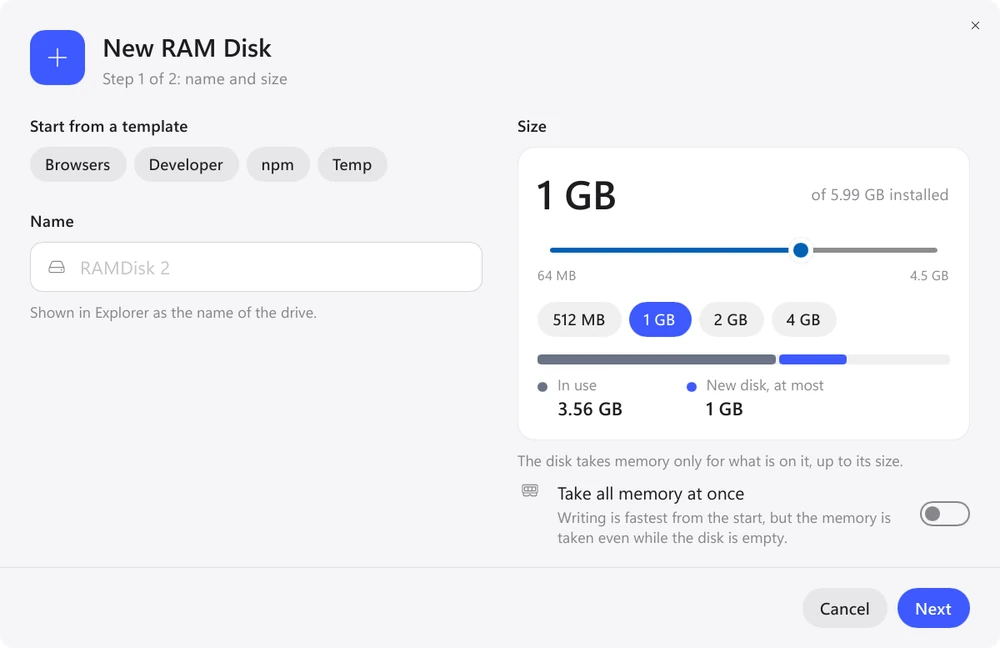
Enter a name and size or pick a template. Browsers moves browser caches, Developer moves npm, pip, Cargo and other package manager caches. Close the browser first: a folder with open files can't be moved.
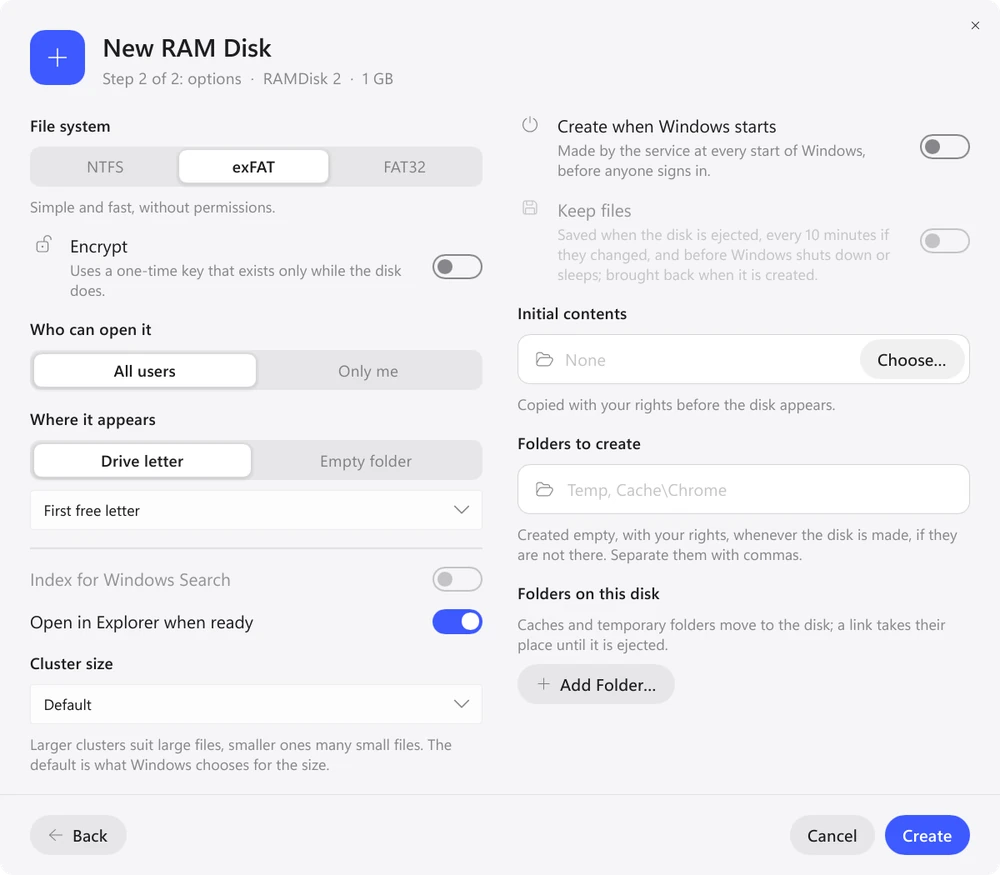
In the second step, turn on “Create when Windows starts”, and if you need the files after a restart too, “Keep files”. Package caches are worth keeping, the browser cache usually isn't.
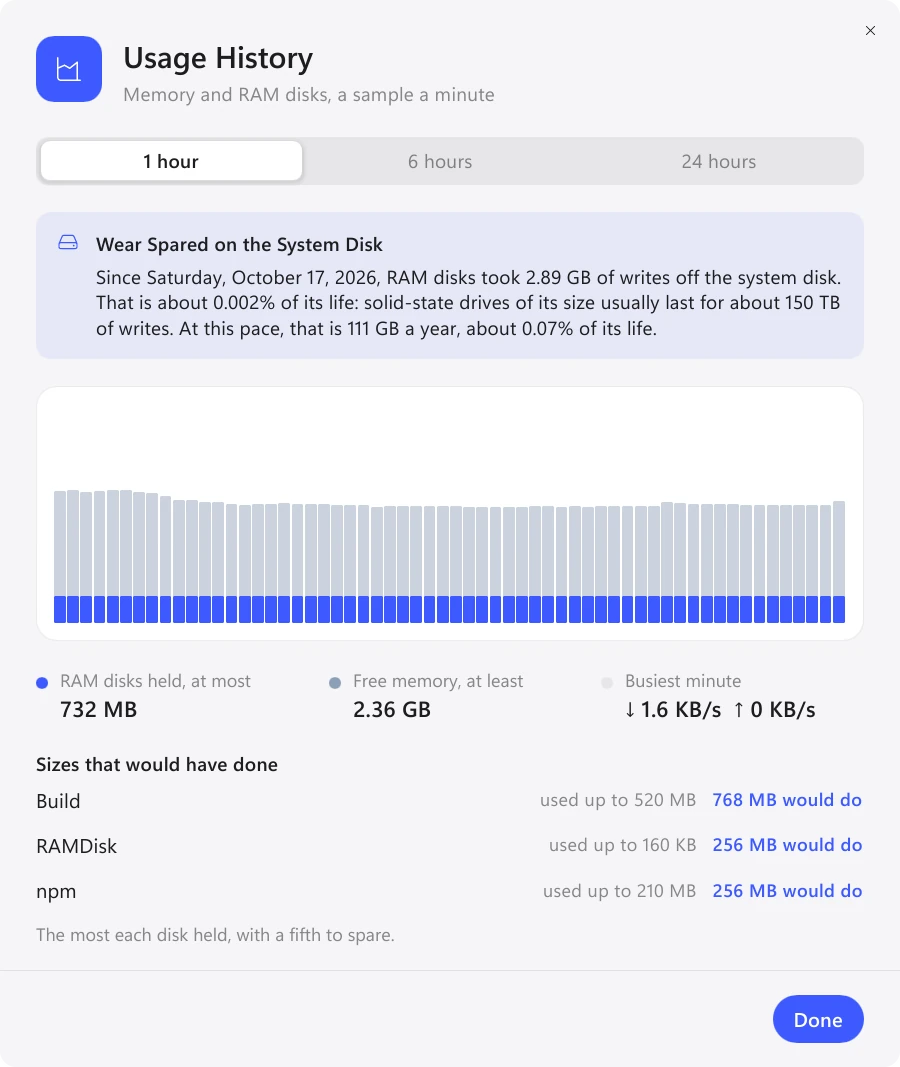
“Usage History” shows how much memory each disk used and what size would have been enough for it. You can resize a disk, and its files stay in place (on Windows, an NTFS disk).
Windows, macOS and Linux
The versions for all three systems do the same things: startup disks, keeping files, templates, history and the eramdisk tool. They differ only where the systems themselves differ.
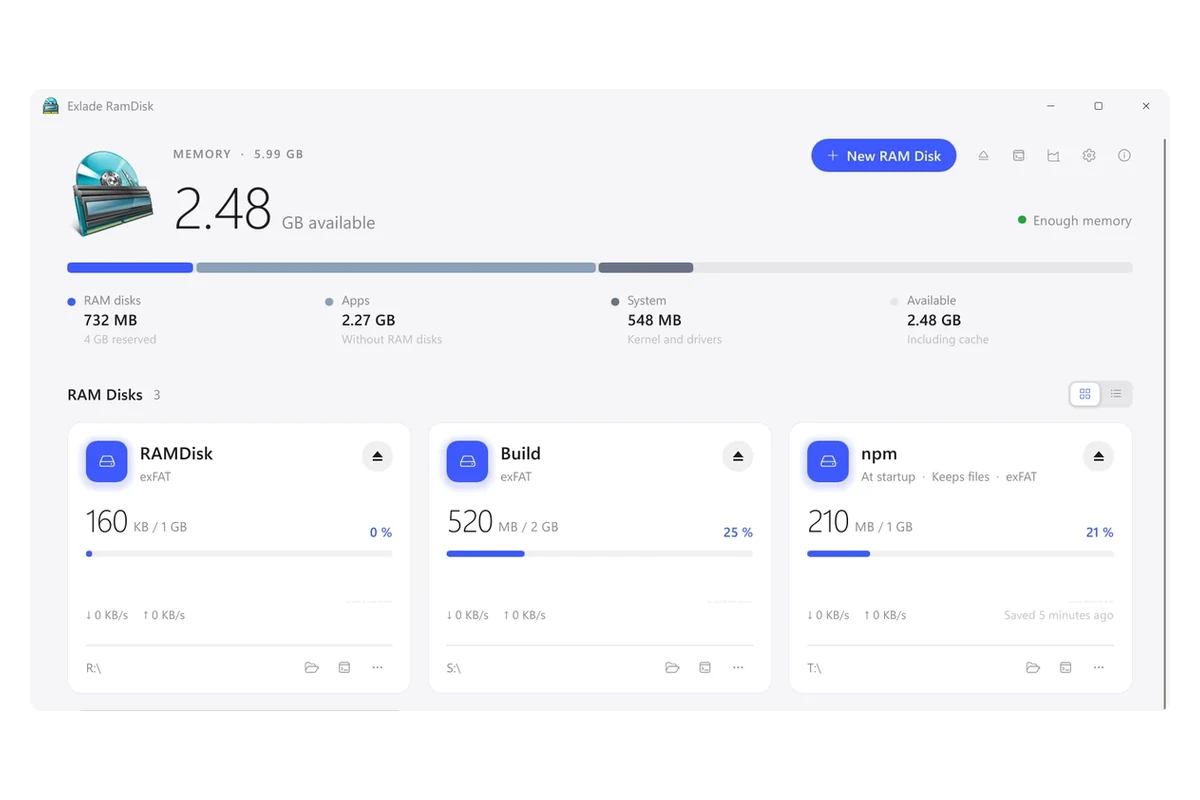
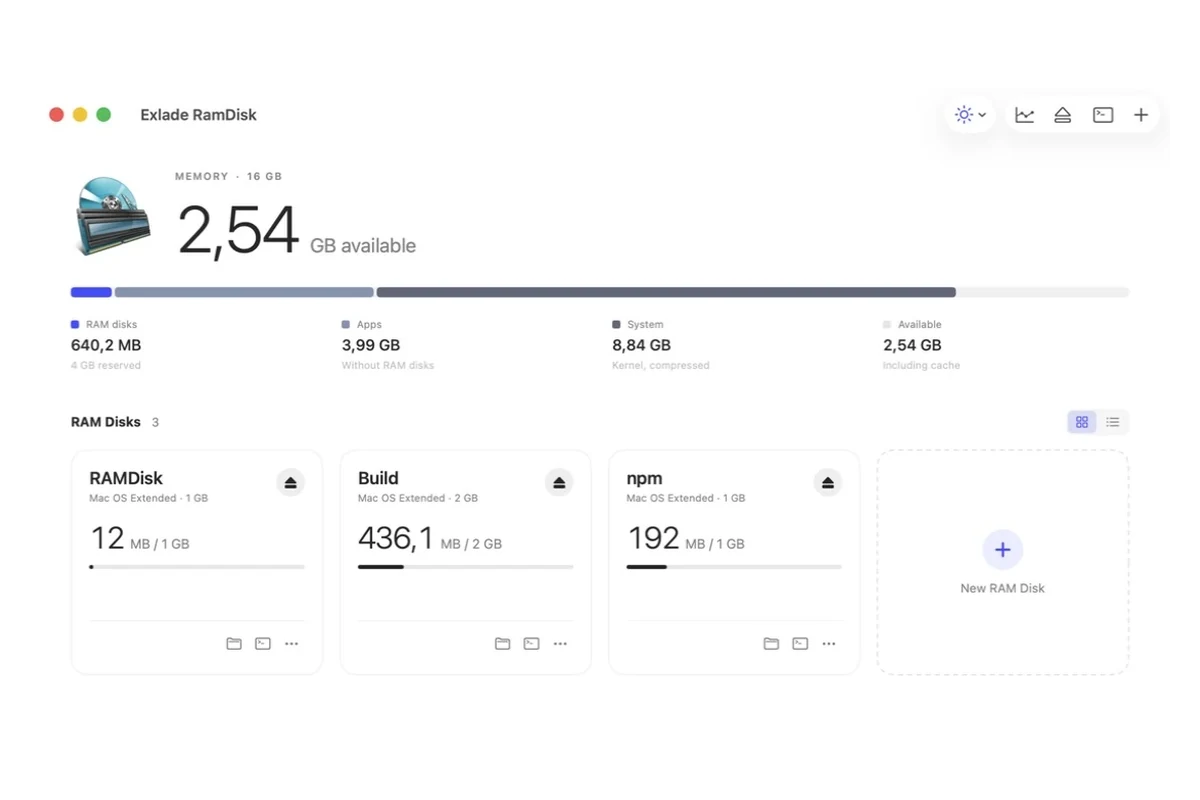
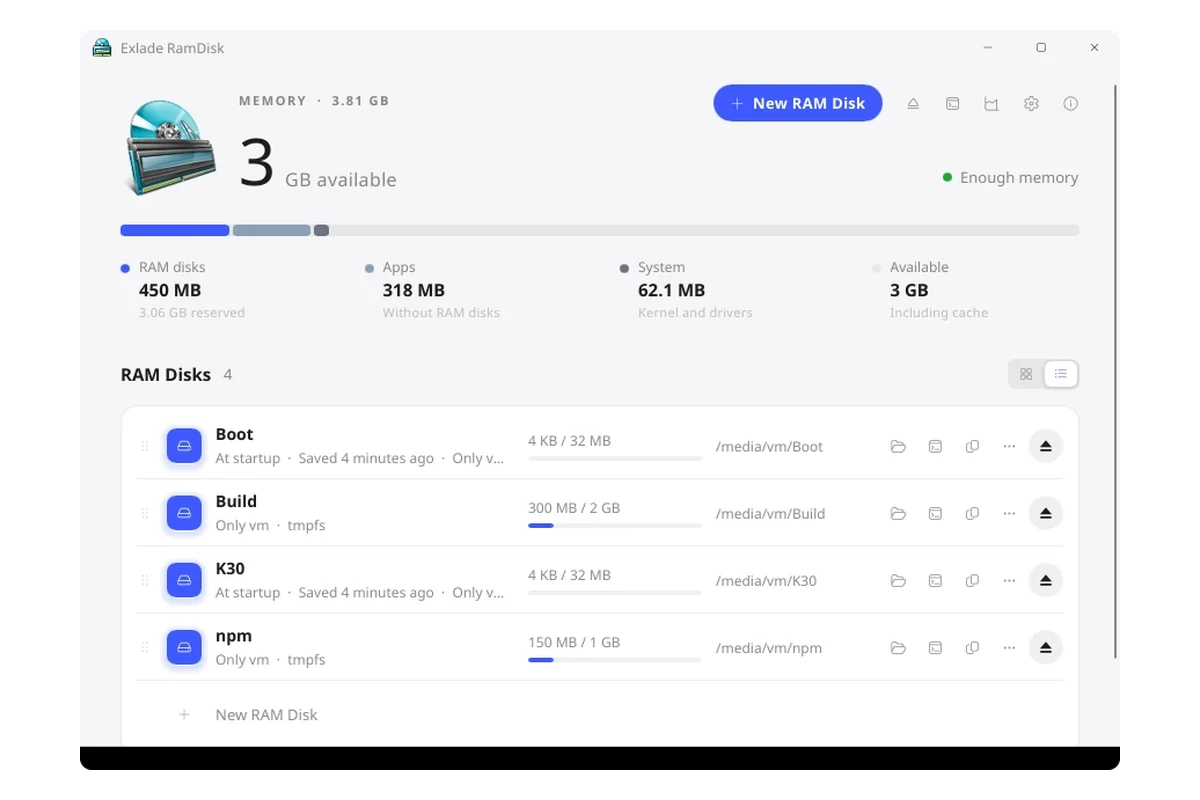
| Windows | macOS | Linux | |
|---|---|---|---|
| Version | 1.3.1 | 1.2.1 | 1.0.1 |
| Systems | Windows 10 1607 and later, 11, Server 2016-2025 on x64, Windows 11 on ARM64 | macOS 15 and later, Apple Silicon and Intel | Ubuntu 24.04, Debian 13, Fedora 40 and later, x64 and ARM64 |
| File system | NTFS, exFAT, FAT32 | APFS, HFS+, exFAT, FAT32 | tmpfs |
| Where the disk appears | a drive letter or a folder on NTFS | in /Volumes or, for “Only me” disks, in ~/Library/RamDisks/<name> | in /media or /run/media, like USB drives, or in a folder of your choice |
| Disk encryption | yes | yes | no |
| Administrator rights | for installation only | not needed | for installation only |
FAQ
Will my files be lost when I shut down the computer?
On a regular disk, yes. A startup disk that keeps its files brings them back the next time it starts. After a sudden power loss, you only lose what changed since the last save.
How much memory should I give a RAM disk?
Start with the template size: 2 GB for TEMP, the browser and npm, 8 GB for developer caches and DerivedData. An 8 GB disk doesn’t take up 8 GB right away: only the files written to it take up memory (except on macOS 15, where a disk reserves its full size at once). On a computer with 8 GB of memory, a RAM disk will soon start taking memory away from apps.
Do I need administrator rights?
On Windows, once, to install the driver and the service. On a Mac, no. On Linux, the installer asks for your sudo password.
Windows 10 and 11, macOS 15 and later, Ubuntu, Debian and Fedora. No registration and no trial period.
Free Download Features